
StoryShare – Better Networking with Memorable Connections
01
Insight
Turn encounters into narratives
If you're like me, you enjoy meeting people at events, staying in touch, and sharing profile QR codes. However, it can sometimes be challenging to remember whom you met, where, and the story behind your encounter. To bridge this gap, I created StoryShare, a prototype designed to make connections more memorable.
02
Intro
Python prototyping on the iPhone
StoryShare is an iPhone-based prototype running on Pythionista. It aims to enhance networking by generating memorable stories about your encounters, which are then easily shared via QR codes.
03
Hello world
Data Sources
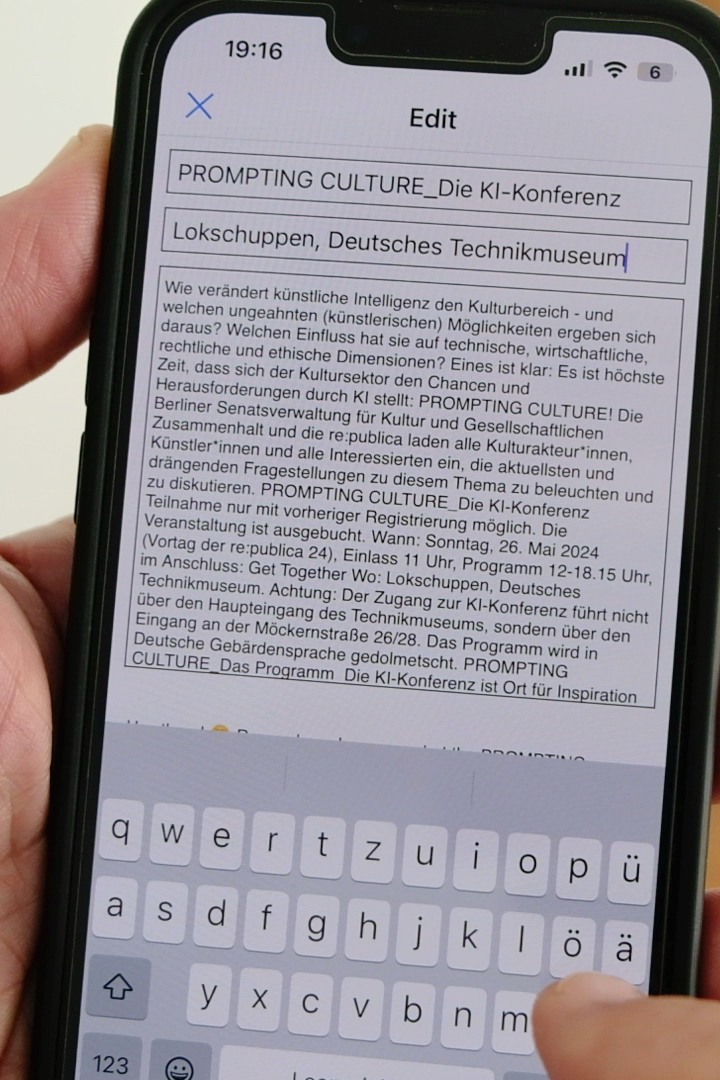
**General Info:** Hard-coded information such as name, role, and contact details. **Variable Details:** Editable on the fly, including event name, location, and program information. **Additional Data:** Sourced from the device or external APIs, such as time, location, and memorable weather events.
04
Generative
From data to stories
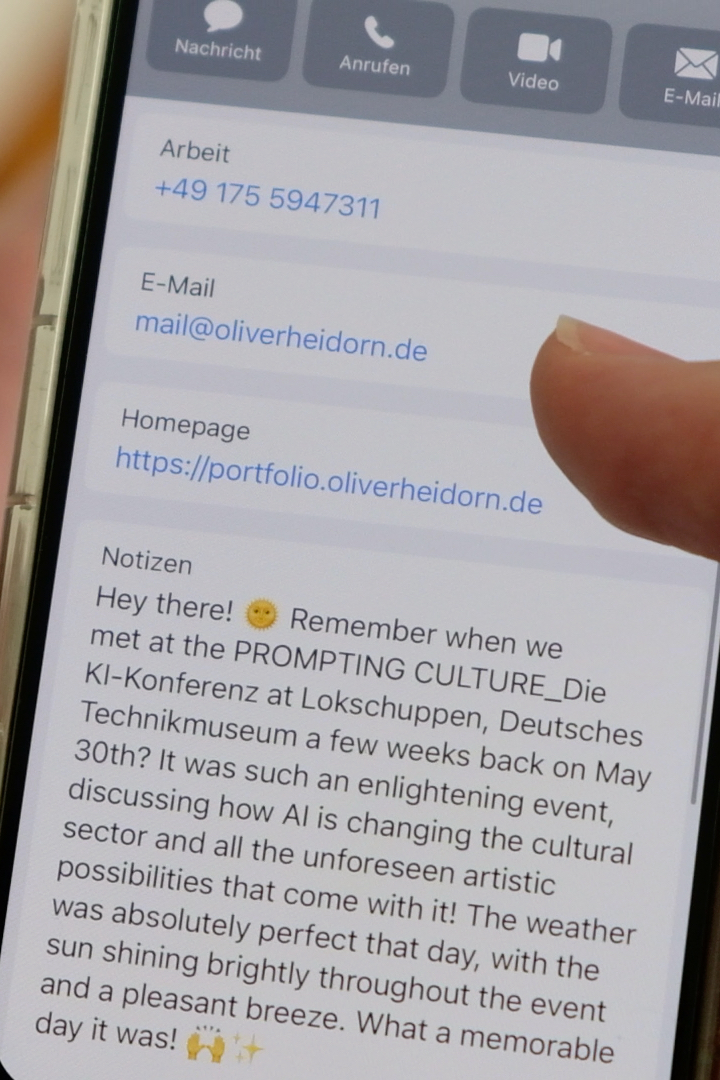
The encounter story is generated on the fly using Mistral's API. A pre-prompt instructs the model to draft a narrative based on the provided data, focusing on the memorable aspects. This dynamic story generation helps create a personalized and vivid memory of the meeting.
The response from the story generation, along with contact details, is mapped to a string representing the universal vCard standard by the Internet Engineering Task Force (IETF). This standardization ensures compatibility across all major platforms, allowing the information to be seamlessly saved in the system's standard address book.
05
Encoding
From phone to phone via QR
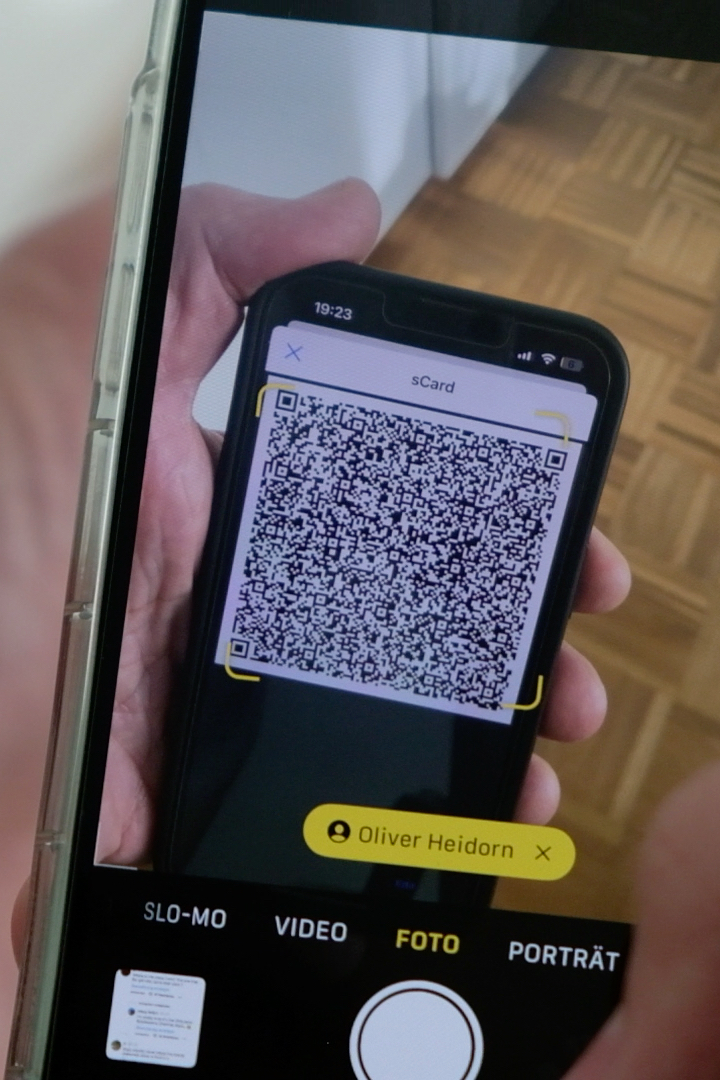
The vCard string is encoded into a QR code using onboard algorithms. QR code readers can instantly recognize the code as address information. With a simple scan, the contact details and story are ready to be stored on any smartphone.
06
Code
Data collection
This module fetches the current location and time, which are essential for creating context in the generated story.
import location
    import requests
    from datetime import datetime
    from pytz import timezone

    location.start_updates() #pythonista access to iOS layer
    loc = location.get_location()
    location.stop_updates()

    lon = loc["longitude"]
    lat = loc["latitude"]
    timezone_string = "Europe/Berlin"
    local_timezone = timezone(timezone_string)
    local_time = datetime.now(local_timezone)
07
Code
Story Generation Module
This function sends a prompt to Mistral's API and receives a story based on the provided data, creating a personalized narrative for the encounter.
def get_story(weather_prompt):
        prompt = base_prompt + event_prompt + weather_prompt
        url = 'https://api.mistral.ai'
        headers = {'Content-Type': 'application/json',
            'Accept': 'application/json',
            'Authorization': f'Bearer {config["mistral_api_key"]}'}
        data = {'model': 'mistral-large-latest',
            'messages': [{'role': 'user', 'content': prompt}]}
        json_data = json.dumps(data)

        rm = requests.post('https://api.mistral.ai/v1/chat/completions',
            headers=headers, data=json_data)
        rm = rm.json()

        story = rm['choices'][0]['message']['content']
    return story
08
Code
vCard Formatting
The Card generation is pretty straightforward and (honestly) much simpler than expected. Story and contact details get formatted into a vCard string, ensuring it can be read and saved by any standard address book application.
def generate_card(note):
        data = f'''BEGIN:VCARD
            VERSION:3.0
            N:{last_name};{surname}
            FN:{display_name}
            ROLE:{role}
            URL:{vURL}
            EMAIL:{email}
            TEL;TYPE=voice,work,pref:{tel}
            NOTE:{note}
            END:VCARD'''
        return data
09
Code
Code Generation
This function generates a QR code from the vCard string, making it easy to share the contact information and story with others. I get's directly triggered from pythonista's UI layer.
import qrcode

    def gen_button_tapped(sender):
        global story
        weather_prompt = get_weather()
        story = get_story(weather_prompt)
        card_str = generate_card(story)
        img = qrcode.make(card_str)
        img.save(image_path)

        ui_image = ui.Image.named(image_path)
        qr_img_view.image = ui_image
        story_field.text = story
        write_config()
10
Wrapup
The power of making memorable connections
StoryShare is designed to enhance networking by making each connection more memorable. By using a combination of hard-coded information, real-time data, and advanced AI-driven story generation, StoryShare creates a narrative for each encounter. The use of standardized vCard formatting and QR code encoding ensures that these memories are easily shareable and compatible with all major platforms. Now let's get out and so some networking!
:::
Latest blog posts
Hospital VR Prototype
Make future innovation tangible with Virtual Reality